
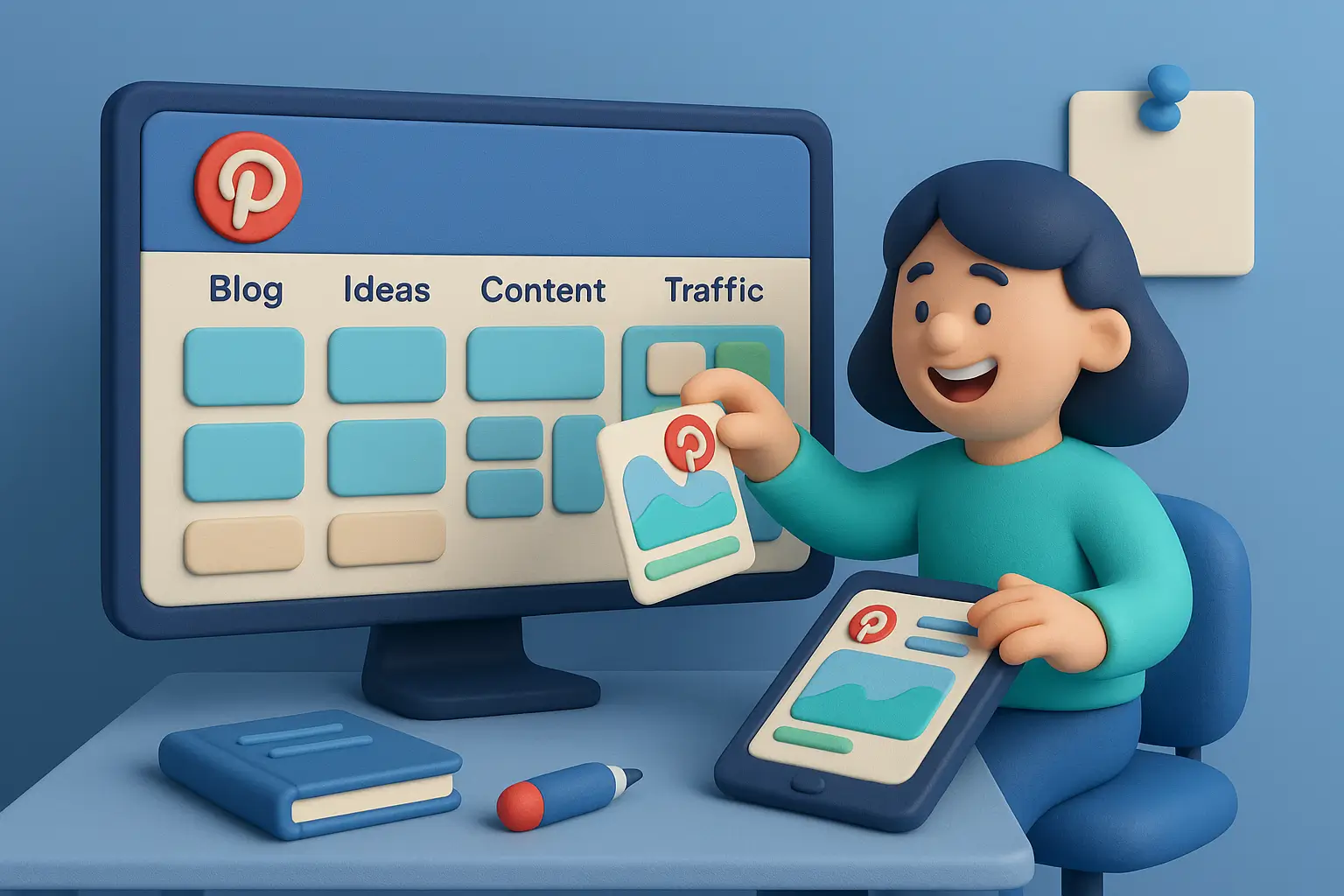
Se o Google é uma biblioteca e o Instagram é uma festa, o Pinterest é um mapa para planos futuros , um lugar onde as pessoas coletam ideias que colocamão na prática. Essa simples mudança de mentalidade explica por que o Pinterest pode enviar tráfego constante e altamente intencional para um blog por meses (às vezes anos) após uma publicação. É busca visual, não apenas conteúdo superficial de redes sociais. Neste guia, construiremos seu mecanismo de busca no Pinterest do zero: estratégia de controle, pesquisa de palavras-chave e design de pins . Assim, seu conteúdo será descoberto, salvo e clicado pelos leitores certos.
Você não precisa de um público enorme, um kit de marca sofisticado ou dez horas por dia. Você precisa de clareza, consistência e um fluxo de trabalho simples que você realmente segue. Vamos começar.
Como o Pinterest realmente funciona para blogueiros
O Pinterest não se trata de “viralizar” por quinze minutos. Trata-se de descobertas relevantes e rigorosas . Os usuários pesquisam soluções (“preparação de refeições para pais ocupados”, “guarda-roupa cápsula para o outono”, “dicas simples de SEO”) e salvam marcadores visuais ( pins ) em pastas organizadas por tema. Quando seu pin corresponde à intenção do usuário e parece irresistível, você ganha um salvamento e, mais importante, um clique que leva o usuário ao seu blog.
Eis uma ocorrência em cadeia que você está tentando criar: perfil → pastas → pins → palavras-chave → salvamentos → cliques → sessões no seu blog . Cada uma dessas correntes é importante. Um perfil desorganizado confunde o algoritmo do Pinterest. Nomes de pastas vagos escondem seu conteúdo. Títulos e interferências de pinos mal elaborados enterraram suas ideias em meio a uma pilha de ruído. Mas quando tudo se alinha, seus pins se tornam indicadores amigáveis que levam os leitores diretamente às suas mensagens.
Alguns termos que você verá: Pin Padrão (uma imagem estática), Pin de Ideia (formato de várias páginas, semelhante a uma história), Pin Avançado (extrai automaticamente metadados como o título da sua postagem), Salvamentos (pessoas que adicionam seu pin a um painel), Impressões (visualizações) e Cliques Externos (tráfego para o seu site). Para blogueiros, os Cliques Externos são o grande destaque.
Fundamentos: Conta, Nicho e Conselhos que Fazem Sentido
Comece mudando para uma Conta Comercial para ter acesso a análises, anúncios (caso queira exibi-los) e à configuração dos Rich Pins. Preencha seu perfil como se estivesse escrevendo um pequeno outdoor: o que você ajuda as pessoas a alcançar e para quem. “Guias de viagem econômicos para mochileiros iniciantes”, “Receitas práticas para famílias ocupadas”, “Dicas de SEO para iniciantes na criação de conteúdo”. Seja breve, específico e foque nos benefícios.
Em seguida, projete a arquitetura dos seus painéis . Pense nos painéis como “prateleiras” temáticas e nos seus pins como “livros” etiquetados. Suas prateleiras devem refletir as categorias principais do seu blog. Se o seu nicho é culinária para iniciantes, os painéis podem incluir: Jantares Fáceis , Preparo de Refeições 101 , Almoços Saudáveis , Receitas com 5 Ingredientes e Refeições Econômicas . Se você é um criador de conteúdo para blogs/marketing, experimente: Noções Básicas de SEO , Marketing no Pinterest , Crescimento da Lista de E-mails , Ideias de Conteúdo e Modelos do Canva .
Cada placa precisa de:
-
- Um título forte que utilize uma palavra-chave principal (“Receitas Fáceis para o Jantar” é melhor do que “Hummm Hum”).
-
- Uma descrição clara em linguagem natural que inclua frases relacionadas (“refeições de 30 minutos”, “ideal para famílias”, “jantares de uma panela só”).
-
- Imagem de capa relevante e identidade visual consistente (não precisa ser perfeito, apenas evite o caos).
Crie de 8 a 12 pastas permanentes, além de algumas pastas sazonais que você ativará antes de momentos importantes (Férias, Verão, Volta às Aulas). Essa estrutura ajuda o Pinterest a entender o seu conteúdo e facilita a navegação dos leitores.
Pesquisa de palavras-chave no Pinterest: da tentativa à busca guiada
As palavras-chave no Pinterest não são sequências rígidas e robóticas; elas representam a forma como pessoas reais buscam ideias. A pesquisa é rápida e visual. Comece na barra de pesquisa do Pinterest e digite uma frase-chave do seu nicho. Observe as sugestões de preenchimento automático . Clique em um resultado; observe as pesquisas relacionadas e a linguagem usada nos títulos e descrições dos pins de sucesso . Você não está copiando; você está ouvindo a linguagem da demanda.
Crie uma planilha simples com colunas para palavra-chave , variações de cauda longa , intenção de busca , público-alvo do painel e postagem de blog correspondente . Se sua palavra-chave principal for “guarda-roupa cápsula”, as frases de cauda longa podem incluir “guarda-roupa cápsula para iniciantes”, “lista de verificação para um guarda-roupa cápsula de outono” e “guarda-roupa cápsula para o trabalho com orçamento limitado”. Atribua cada uma a um painel ( Guarda-Roupa Cápsula ) e a uma postagem específica (seu guia ou lista de verificação). Faça o mesmo para três a cinco palavras-chave principais por painel e, em seguida, anote de cinco a dez variações semânticas que você irá inserir naturalmente.
Ao publicar um pin, use estas frases onde forem apropriadas: título do pin , descrição do pin e descrição do painel . Se o seu blog usa texto ALT nas imagens, escreva frases descritivas que ajudem um leitor de tela e reforcem o tema: “Guarda-roupa cápsula de outono para iniciantes: paleta de cores neutras e dez peças essenciais”. Seja humano. O Pinterest lê o contexto, não apenas correspondências exatas.
Design de Pins 101: Elementos Visuais que Geram Cliques
Os Pins são outdoors visuais; clareza é mais importante que criatividade . Você está criando conteúdo para um feed onde as pessoas rolam rapidamente em telas pequenas. Isso significa que hierarquia, contraste e legibilidade são fundamentais.
Crie seu pin com uma única promessa em mente. Use um título impactante que destaque o benefício (“7 dicas de SEO para iniciantes que realmente funcionam”, “Jantares de 15 minutos para noites cansativas”, “Guarda-roupa cápsula de outono: o plano de 10 peças”). Escolha uma imagem de fundo que complemente o texto, em vez de distrair a atenção dele. Um pin de comida pode usar um prato apetitoso; um pin de marketing pode usar um espaço de trabalho organizado ou uma textura abstrata. Em seguida, adicione uma sobreposição de texto com alto contraste (texto escuro em fundo claro ou vice-versa) e espaço negativo suficiente para que as palavras respirem.
Mantenha a identidade visual discreta: um pequeno logotipo ou URL em um canto é suficiente. Excesso de marca parece propaganda; pouca marca dificulta o reconhecimento do seu trabalho. Em relação às cores, busque uma paleta consistente em todos os pins para que seu feed tenha uma aparência coesa. Você não precisa de um diploma em design; os modelos do Canva, com alguns ajustes, podem te levar a 80% do resultado final.
Duas dicas específicas que os iniciantes costumam ignorar:
-
- A proporção da imagem importa. O Pinterest prioriza o formato vertical, geralmente 1000 × 1500 (2:3). Imagens mais largas ou muito pequenas podem ficar estranhas no feed.
-
- Faça pequenos testes. Crie 2 a 3 variações para suas publicações mais importantes, troque a foto de fundo, ajuste o ângulo do título ou mude a cor de destaque. Às vezes, um pequeno aumento no contraste pode dobrar os cliques.
Um título impactante não é apenas bonito; ele promete um próximo passo claro . Você pode adicionar uma chamada para ação (CTA) sutil, como “veja os passos”, “baixe o checklist” ou “obtenha o modelo”, mas mantenha-a discreta. O título é a protagonista.
Placas e Estrutura do Site: Agrupamentos que se Combinam
Um blog de sucesso no Pinterest segue o modelo clássico de hub e raios : posts principais (hubs) interligados a posts secundários focados (raios). Seus painéis refletem esses agrupamentos. Se o seu post principal for “SEO para Pinterest para Iniciantes”, os raios podem incluir “Como Fazer Pesquisa de Palavras-chave no Pinterest”, “Erros de Design de Pins a Evitar” e “Configuração de Pins Avançados”. Cada raio recebe múltiplas variações de pins, e todos eles ficam no mesmo painel principal , além de quaisquer subpainéis relevantes.
Essa simetria, categorias do blog ↔ pastas ↔ pins, mostra ao Pinterest e aos leitores que você não está apenas se aventurando, mas sim abordando o assunto em profundidade. Ela também permite criar séries e coleções . Por exemplo, a cada trimestre, você pode atualizar sua publicação principal e lançar novos designs de pins relacionados aos seus subtópicos. Essa frequência ensina silenciosamente ao algoritmo que você é a referência naquele tópico.
SEO para Pinterest: Títulos, Descrições e Pins Avançados (Sem Exageros)
Veja como otimizar seus pins e pastas sem cair na sopa de palavras-chave:
-
- Títulos : comece com a frase principal e um benefício. “Pesquisa de palavras-chave do Pinterest para blogueiros (passo a passo)” é simples e fácil de encontrar. Use letras maiúsculas apenas no início ou no final das frases: escolha um estilo e mantenha-o.
-
- Descrição : escreva de uma a três frases curtas que soem como se você estivesse recomendando seu próprio conteúdo a um amigo. Combine algumas frases relacionadas de forma natural. Não precisa de um monte de hashtags; algumas tags relevantes já ajudam, mas a descrição tem mais peso.
- Pins Avançados : habilite-os para que o Pinterest possa sincronizar o título e os metadados exatos da publicação do seu site. Isso aumenta a confiança e, frequentemente, melhora a taxa de cliques, pois o conteúdo parece mais “oficial”. Se o seu CMS for compatível, certifique-se de que o Open Graph e os metadados do artigo estejam corretos e consistentes.
A acessibilidade é importante: descreva as imagens de forma significativa no seu blog para que as pessoas que usam leitores de tela entendam o contexto e para que qualquer texto alternativo extraído do Pinterest seja útil em vez de genérico.
Da localização à visualização da página: faça com que a experiência de destino seja consistente.
Nada destrói mais a confiança do que uma propaganda enganosa. Se o seu pin promete “5 modelos gratuitos do Canva para Pinterest”, a página de destino deve abrir com essa promessa exata: título correspondente, imagem de apoio e uma breve introdução que confirme que o usuário está no lugar certo. A primeira tela deve revelar o valor sem que seja necessário rolar a página: imagem principal, resumo rápido e um link ou índice indicando onde encontrar o conteúdo gratuito.
Mantenha a página rápida. Imagens pesadas e scripts lentos prejudicam o tráfego do Pinterest, pois os usuários de dispositivos móveis abandonam a página rapidamente. Comprima as imagens, carregue o conteúdo abaixo da dobra de forma lenta e remova tudo o que não contribui para a mensagem principal. Adicione um lead magnet relevante no topo da página, idealmente o mesmo recurso apresentado no pin ou uma atualização relacionada. Assim, você transforma novos leitores em assinantes de e-mail.
Os parâmetros UTM nos links podem ajudar você a rastrear quais variantes de pins têm melhor desempenho no Google Analytics 4. Nas suas análises, monitore as sessões , a taxa de engajamento , o tempo médio de engajamento e as conversões (cadastros, downloads) para cada página de destino. Se uma publicação gerar cliques, mas não cadastros, ajuste o texto acima da dobra e o posicionamento da oferta antes de redesenhar o pin novamente.
Publicação de cadência e agendamento de luz
As recomendações online sobre frequência de publicação variam de “publique 50 vezes por dia” a “publique uma vez e espere que dê certo”. O meio-termo sustentável: publique com consistência . Para a maioria dos iniciantes, isso significa algumas novas publicações por dia enquanto você está criando conteúdo, depois um fluxo constante de novas publicações e o reaparecimento ocasional de publicações de sucesso.
A publicação manual funciona bem e mantém você conectado à plataforma. Se preferir um agendador, escolha um que respeite o ritmo do Pinterest e permita espaçar as publicações em vez de publicá-las em sequência. De qualquer forma, evite publicar vinte pins quase idênticos um após o outro; isso polui a experiência dos seus seguidores e não ajuda na descoberta de conteúdo.
A sazonalidade merece um calendário. Trabalhe com 6 a 8 semanas de antecedência em relação a feriados ou mudanças sazonais para que seus pins tenham tempo de circular. Isso significa conteúdo de outono no final do verão, conteúdo de feriados em outubro e assim por diante. Você também pode “repaginar” os pins de sucesso: mesmo URL, visuais atualizados e palavras-chave que se encaixem no momento.
Análises que Importam (e Como Usá-las)
É tentador ficar obcecado com as impressões , mas elas são apenas um indicador meteorológico. Concentre-se nos sinais do funil que o Pinterest fornece e, em seguida, corrobore-os no Google Analytics 4.
-
- Os salvamentos indicam a intenção de revisitar. Se os salvamentos forem altos, mas os cliques forem baixos, seu pin promete mais “inspiração” do que “ação”. Considere adicionar utilidade (lista de verificação, etapas) ou esclarecer o resultado no título.
-
- Os cliques externos são seu principal indicador de desempenho (KPI). Se os cliques estiverem baixos, corrija primeiro o pin (contraste, clareza do título, relevância da imagem), depois a descrição e, por fim, teste um novo ângulo.
-
- No GA4 , agrupe o tráfego por campanha UTM ou origem para identificar quais versões de pins e quais painéis geram sessões engajadas e conversões . Um pin que envia menos visitantes, mas mais cadastros, é melhor do que um pin que inunda seu site com visitantes superficiais.
Trate as análises como uma conversa com seus leitores. Eles estão lhe dizendo o que é útil, o que é confuso e o que é irresistível. Ouça e itere.
Ganchos de monetização para blogueiros (opcional, mas eficaz)
O tráfego do Pinterest está no topo do funil, mas surpreendentemente pronto para agir. Se você usar links de afiliados em suas postagens, adicione divulgações claras e certifique-se de que seu conteúdo eduque antes de vender. Listas de produtos, guias de comparação e artigos sobre “melhores ferramentas para X” têm bom desempenho quando são genuinamente úteis e estão intimamente ligados à promessa do pin.
Para aumentar o número de leads por e-mail, inclua conteúdos extras que correspondam ao pin, exatamente o checklist ou modelo que foi mencionado. Uma oferta inicial simples (um produto digital de baixo custo) pode funcionar na página de agradecimento. Se você vende cursos ou modelos, crie um fluxo gradual: pin → postagem tutorial → conteúdo extra → e-mail de nutrição → oferta. Sem pressão, apenas etapas.
Sazonalidade e Tendências: Surfe as Ondas Sem Se Afogar
O Pinterest tem um ritmo próprio que você pode aprender. As pessoas planejam com antecedência, o que significa que seu conteúdo sazonal precisa de tempo para se propagar. Comece cedo e, em seguida, atualize as abordagens à medida que a data se aproxima. Uma lista de tarefas para a limpeza de primavera pode se transformar em um guia de organização para as festas de fim de ano com imagens e palavras-chave atualizadas. Seu guia de guarda-roupa cápsula pode se adaptar a peças básicas para trabalhar em casa no inverno quando as temperaturas caírem.
Seguir tendências é tentador, mas certifique-se de que elas estejam alinhadas com o seu nicho. O ideal é que um leitor que clique hoje encontre mais dez posts que ele adore amanhã. Esse relacionamento contínuo, baseado na confiança e na relevância, importa muito mais do que um pico isolado.
Conformidade e Melhores Práticas: Construa uma Reputação que o Pinterest Adora
Respeite os direitos autorais de fotos, fontes e mockups. Use tamanhos de texto legíveis para dispositivos móveis, mantenha um forte contraste de cores e evite clickbait exagerado. O Pinterest prioriza pins que cumprem o que prometem. Se as pessoas abandonam seu site com frequência, seu alcance pode diminuir. Mantenha as divulgações de afiliados e conteúdo patrocinado claras e objetivas. E lembre-se: acessibilidade ajuda a todos; textos ALT descritivos em suas imagens de blog são uma atitude gentil e inteligente.
Solução de problemas: quando os pinos não funcionam
Poucos cliques? Comece pelo visual. O título é fácil de ler em um celular? A imagem reforça a promessa ou distrai dela? Há contraste suficiente? Em seguida, revise a redação: o título oferece um resultado ou apenas um tópico? “Dicas de SEO” é vago; “Dicas de SEO para iniciantes que realmente funcionam” é concreto.
Sem salvamentos? Talvez sua abordagem não pareça útil ou inspiradora. Tente reformular de “informação” para “aplicação”: “Como montar um guarda-roupa cápsula de outono (10 peças, 12 looks)”. Adicione dicas de antes e depois ou passo a passo no texto do pin para transmitir a ideia de utilidade.
Impressões estagnadas? Reavalie os títulos e descrições dos seus painéis . Talvez você esteja publicando pins em painéis com nomes bonitinhos em vez de nomes ricos em palavras-chave. Adicione novas frases de cauda longa às descrições dos seus pins e teste um novo plano de fundo que corresponda melhor à intenção de busca do usuário. Se um pin realmente não estiver gerando engajamento após vários ajustes, deixe-o de lado e invista em uma nova variação vinculada a uma publicação que já tenha apresentado bom desempenho.
Um plano de 30 dias para o Pinterest (que você realmente pode seguir)
Semana 1: Fundamentos e Pesquisa. Converta sua conta para uma Conta Comercial, ative os Pins Avançados, complete sua biografia de perfil e crie 10 pastas sólidas com títulos e descrições com palavras-chave. Pesquise e registre pelo menos 50 palavras-chave relacionadas aos seus tópicos, associando cada uma a uma pasta e a uma postagem no blog.
Semana 2: Primeiros Pins e Coesão. Crie de 6 a 10 imagens de pins para suas três principais postagens, com duas ou três variações para cada uma. Publique-as com títulos criativos e descrições naturais. No seu blog, alinhe as páginas de destino para que o título e a imagem principal correspondam à proposta do pin. Adicione um conteúdo extra relevante a pelo menos uma postagem.
Semana 3: Expansão e Conteúdo Sazonal. Publique uma nova postagem no blog otimizada para o Pinterest e crie de 6 a 8 pins para ela. Crie um painel sazonal relevante para o seu nicho e desenvolva alguns pins que se encaixem nessa tendência. Adicione parâmetros UTM para rastrear o desempenho de forma clara no Google Analytics 4.
Semana 4: Análise e Iteração. Verifique salvamentos, cliques e conversões de páginas de destino. Duplique seus pins de sucesso com pequenos ajustes de design e uma abordagem ligeiramente diferente para o título. Elimine as variações com pior desempenho. Refine as descrições dos painéis com quaisquer novas frases de cauda longa que você tenha descoberto. Planeje os pins do próximo mês com base em dados, não em impressões.
É isso aí. Não é glamoroso, mas funciona porque se acumula.
Perguntas frequentes: Respostas rápidas para novos blogueiros do Pinterest
Quanto tempo até eu ver tráfego?
Você pode ver cliques em alguns dias, mas o Pinterest é um processo lento. Espere um crescimento significativo após 6 a 12 semanas de publicações consistentes e forte alinhamento com o blog.
Primeiro, Pins padrão ou Pins de ideias?
Se o tráfego para o seu blog é a prioridade, comece com os Pins padrão . Os Pins de ideias podem aumentar o alcance na plataforma e o reconhecimento da marca; utilize-os posteriormente, quando tiver espaço disponível.
Preciso de um agendador?
Não, mas pode ajudar. Fixar manualmente funciona bem se você for consistente. O importante é o espaçamento e a qualidade, não o excesso.
Quantos pins por postagem?
Crie pelo menos 2 a 3 variações para postagens importantes. Com o tempo, atualize os pins mais populares com novas imagens e abordagens sazonais.
As hashtags importam?
Elas não são essenciais no Pinterest. Concentre-se em títulos claros e descrições naturais com frases de busca reais.
Considerações finais: Faça do Pinterest sua ferramenta de trabalho silenciosa.
O Pinterest valoriza clareza, consistência e gentileza com o leitor . Trate cada pin como uma promessa que você pretende cumprir na página inicial. Trate cada pasta como uma prateleira organizada, não como uma gaveta bagunçada. Trate cada descrição como um sussurro útil para o algoritmo sobre quem deve ver esse conteúdo em seguida.
Quando você conecta os pontos, painéis alinhados com as categorias do blog, pins otimizados para telas pequenas, palavras-chave incorporadas à linguagem natural e páginas de destino eficazes, seu conteúdo continua trabalhando enquanto você dorme. Não é um lançamento de foguete, mas sim uma ferrovia bem construída. Trem após trem, semana após semana, o tráfego do seu blog chega na hora certa.